
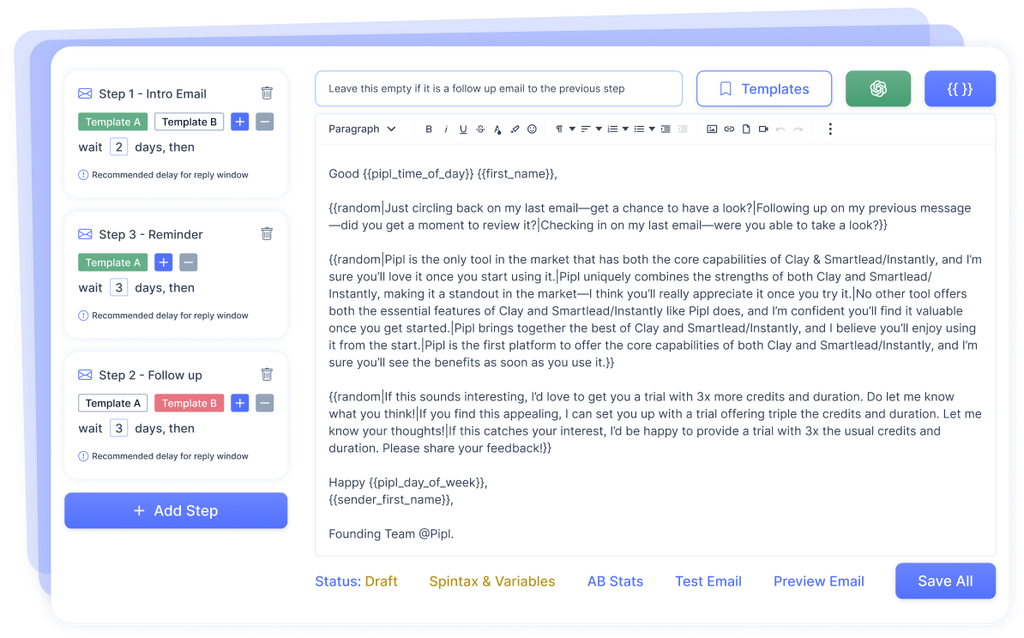
Running a successful cold email campaign requires more than writing a message and uploading a list of prospects.
You need properly configured email accounts, verified leads, suitable sending limits, and a process for monitoring performance.
I’ve been managing B2B cold email campaigns and email infrastructure for several years. One of the tools I use for daily campaign management is PlusVibe.
In this guide, I’ll explain my process for setting up and managing cold email campaigns using PlusVibe.
Step 1: Prepare Your Email Infrastructure
Before creating any campaign, I start with the email infrastructure.
I primarily use Google Workspace accounts across multiple domains.
Each domain needs proper email authentication records, including SPF, DKIM, and DMARC.
These records help receiving email providers verify that messages are sent through authorized systems.
I also check that the mailboxes are functioning correctly before connecting them to an outreach platform.
Proper authentication doesn’t guarantee inbox placement, but it’s an important starting point.
Step 2: Connect Email Accounts to PlusVibe
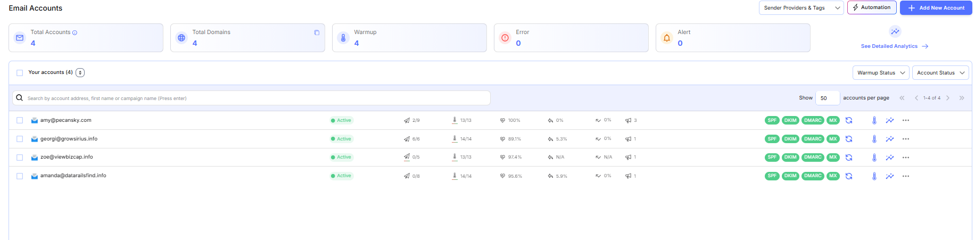
Once the email accounts are ready, I connect them to PlusVibe.
After connecting each account, I check its status to make sure the connection is working.
When managing multiple campaigns, keeping track of active and disconnected accounts is important.
A disconnected mailbox can affect sending capacity and campaign performance.
PlusVibe provides a central dashboard where I can monitor connected email accounts and manage them without opening each inbox separately.
I don’t recommend immediately sending large volumes from newly created email accounts.
Instead, I prefer starting with a small number of emails and gradually increasing activity.
PlusVibe offers email warmup functionality that I use as part of mailbox preparation.
I monitor warmup activity and account health, but I also perform additional deliverability checks.
A healthy warmup score doesn’t always mean cold emails will reach the primary inbox.
Domain reputation, recipient engagement, and sending patterns can also influence deliverability.
Step 4: Prepare Your Lead List
Before uploading leads into PlusVibe, I verify email addresses using external verification tools.
I also remove duplicates and organize prospects based on relevant targeting criteria.
For B2B campaigns, this usually includes job titles, industries, company sizes, and locations.
A well-targeted list is important because even perfectly delivered emails won’t generate useful results if they’re reaching the wrong audience.
I also maintain suppression lists to avoid contacting people who have opted out.
Step 5: Create Your Campaign
After preparing the leads, I create a new campaign in PlusVibe.
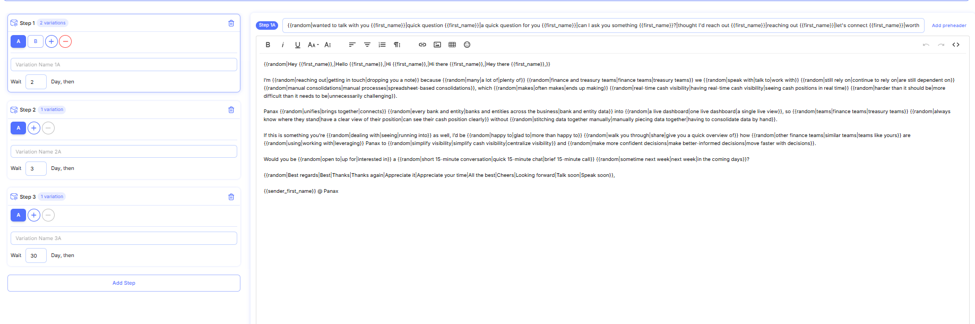
I upload the prospect list, add the email sequence, and assign the sending accounts.
For cold outreach, I prefer short, personalized messages that focus on the recipient’s business needs.
I usually include follow-up emails, but I avoid making every follow-up a repetition of the first message.
Before launching, I review the personalization fields, sending schedule, and daily limits.
Once the campaign is running, I regularly monitor its performance.
The main metrics I check include emails sent, replies, positive responses, and meetings booked.
I also monitor unusual changes in reply rates because they may indicate targeting, messaging, or deliverability problems.
If performance drops, I investigate the possible reasons before making adjustments.
Increasing sending volume isn’t always the solution. Sometimes improving targeting or fixing technical issues produces better results.
My Experience Managing 6,000+ Email Accounts with PlusVibe
One thing I’ve learned from managing thousands of email accounts in PlusVibe is how important regular account monitoring is. I currently manage over 6,000 email accounts, and checking each one manually would take too much time.
PlusVibe makes it easier to identify disconnected accounts, monitor warmup status, and manage sending activity from one place. I usually review account health before launching campaigns and check for connection issues throughout the week. This helps me catch problems early and avoid interruptions that could affect campaign performance.
Final Thoughts
PlusVibe helps me manage sending accounts, email warmup, and cold email campaigns from one platform.
For anyone starting with cold email outreach, my recommendation is to focus on the basics before scaling.
Use properly configured domains, verify your leads, keep sending limits reasonable, and regularly monitor performance.
A reliable outreach process depends on both the software and the person managing it.
Explore more? Join PlusVibe