
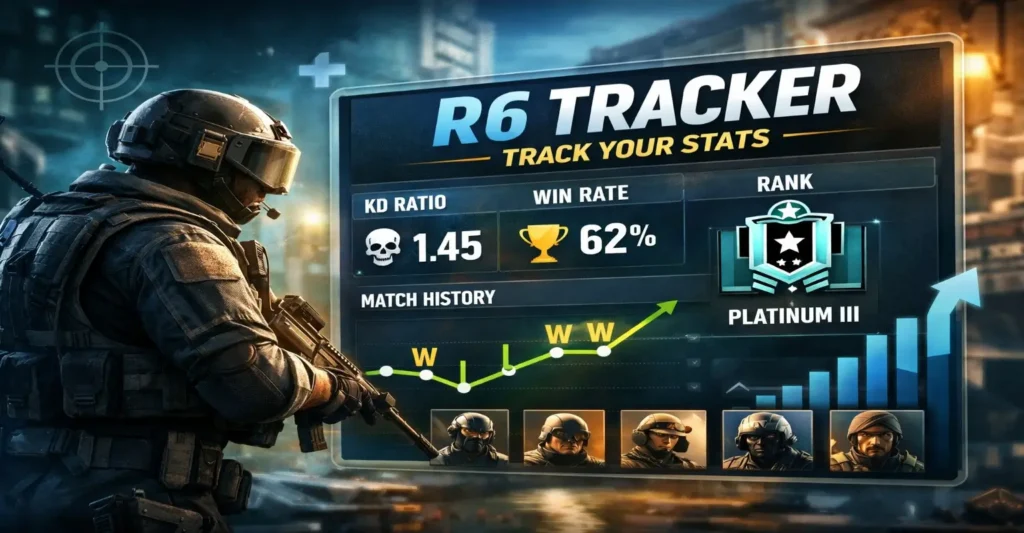
R6 Tracker helps Rainbow Six Siege players understand their performance by turning match data into simple and clear statistics. It displays trends such as win rate, operator performance, and rank progression. By reading these insights, players can identify mistakes, improve strategies, and gradually rank up with smarter decisions and better gameplay awareness.
What r6 tracker is and what it does
At its core, r6 tracker is a stats and profile lookup tool for Rainbow Six Siege players. You search a player’s name, and it pulls together public performance data like rank history, match results, K/D, win rate, and seasonal progress. Many players use R6 Tracker before they queue, after they play, or when they review a rough session.
Why tracking stats helps in Siege
Siege is not only about aim. Your utility usage, decision timing, and teamwork matter just as much. Tracking helps because it:
- shows patterns over time, not just one bad match
- highlights strengths (maps, roles, operators) you can lean into
- exposes weaknesses you can fix with focused practice
- keeps goals measurable so you do not feel “stuck”
What r6 tracker does not do
It is important to set expectations. R6 Tracker does not:
- play the game for you
- guarantee better teammates
- prove someone is cheating by itself
- replace VOD review or learning fundamentals
Use it as a dashboard, not as a judge.
Getting started with r6 tracker in a beginner-friendly way
You do not need to be technical to use the tracker. The basic flow is simple: find your profile, scan the key stats, then pick one or two actions for your next session.
Step 1: Find the right profile
Make sure you select the correct platform (PC, PlayStation, or Xbox) and the correct player name. If you have multiple accounts, track them separately so your trends stay clean.
Step 2: Focus on the “big three” first
When you open the tracker, start with:
- Rank and MMR direction (are you climbing or sliding?)
- Win rate (are you converting close games?)
- Recent match history (is the problem consistent or temporary?)
You can look at advanced stats later.
Step 3: Pick one goal for the next 10 matches
The fastest improvement comes from a single focus. Examples:
- “I will drone for 10 seconds before every entry.”
- “I will save one smoke for the last 30 seconds.”
- “I will trade instead of chasing solo kills.”
Then check whether your stats move in the right direction.
Key stats on r6 tracker and how to read them
Stats are only useful when you interpret them correctly. Below are the most common metrics on r6 tracker and what they usually mean.
Rank, MMR, and seasonal progress
Rank is your visible tier (Copper to Champion). MMR is the hidden rating that moves you up or down. On r6 tracker, look at:
- your current rank and peak rank this season
- the shape of your rank line (steady, spiky, or sliding)
- your last 10 games MMR trend
Practical read: If you drop fast after a peak, you may be playing while tired, queueing too long, or tilting after losses.
Win rate
Win rate is a team result, but it still matters. A healthy win rate often sits near 50% for players in the “right” rank. If your win rate is far below 50%, ask:
- are you solo queueing with no comms?
- do you struggle in overtime?
- do you lose most defense rounds on certain sites?
K/D ratio
K/D is useful, but only when you connect it to your role. An entry player can have a different “healthy” K/D than a hard support. On r6 tracker, use K/D to ask:
- do my deaths happen early (bad entry timing)?
- do I get picks but fail to convert rounds (poor trading)?
- do I avoid fights too much (low impact)?
KOST, if available
KOST is a broad “impact” stat: did you get a kill, objective play, survive, or trade? If r6 tracker shows it, it can be more meaningful than raw K/D.
Headshot percentage
Headshot rate can hint at your aim habits. A very high headshot rate with a poor win rate may mean you take “highlight” fights but do not play objectives. A very low headshot rate may mean you spray too much or avoid crosshair placement training.
Match history and streaks
Your last 10–20 games are a “mood mirror.” On r6 tracker, streaks can show:
- you play best at certain times of day
- you spiral after two losses
- you perform better with a duo or stack
Actionable idea: If you lose three in a row, stop and review one round instead of insta-queueing.
A simple improvement framework using R6 Tracker
To get real value, you need a repeatable routine. Here is a lightweight system that works for beginners and serious players.
The 10-match review cycle
After every 10 matches, open r6 tracker and answer:
- Did my win rate improve or drop?
- Did my deaths per round feel lower?
- Which maps felt hardest?
- Did I play the same role consistently?
Then set one change for the next 10 matches.
The “one stat, one habit” rule
Choose one stat you care about and attach one habit to it:
- If your deaths are high: “Drone first, then swing.”
- If your win rate is low: “Play time and plant more.”
- If your headshots are low: “Five minutes of T-Hunt style warmup.”
This keeps improvement realistic and measurable.
Avoiding the trap of stat obsession
r6 tracker should not become a stress machine. If you refresh after every match, you may tilt faster. A healthier rhythm is:
- quick glance after a session
- deeper review once or twice per week
Roles, operators, and stats: reading r6 tracker with context
Stats without context can mislead you. Siege roles change what “good” looks like.
Entry fraggers
Entry players take the first fights. Their K/D might be volatile. What matters is whether they:
- get the opening pick often enough
- trade out when they die
- create space for the team
If r6 tracker shows strong K/D but poor win rate, you may be getting picks that do not lead to site control.
Flex players
Flex players fill gaps: secondary entry, roam clear, flank watch, and mid-round clutch. Look for:
- stable win rate
- decent K/D
- fewer “free deaths” due to bad timing
Support players
Support players carry drones, hard breach, and utility. A lower K/D can still be fine if you:
- enable plants
- open walls
- keep the numbers advantage by surviving
When you check r6 tracker, focus more on win rate, assists, survival, and consistency than flashy K/D.
Roamers and anchors
Roamers may have higher deaths because they take risks. Anchors may have lower K/D because they play late-round holds. The best stat question is: “Did my role help us win rounds?”
Using r6 tracker to plan practice that actually works
Practice is faster when it is targeted. Use r6 tracker to decide what to practice next.
If your rank is stuck
Common reasons:
- playing too many roles
- ignoring drones and info
- poor late-round decisions
- weak map knowledge
Use r6 tracker to see which maps you lose most. Then practice those maps first.
If your K/D is dropping
Try a 7-day reset plan:
- Day 1–2: crosshair placement drills
- Day 3–4: prefire common angles on one map
- Day 5: recoil control for your main weapons
- Day 6: play slower and trade
- Day 7: Review two lost rounds
Then check your recent match trend.
If your win rate is low but K/D is fine
This often means you do not close rounds. Fix with:
- better utility timing (smokes, flashes, EMPs)
- planting earlier with cover
- playing time on defense instead of hunting
Review your overtime performance too.
A quick guide to reading a stats table like a pro
The goal is clarity. Here is a simple table you can copy into your notes.
| Win rate < 45% | poor round conversion | play objective earlier |
| K/D < 0.9 as entry | losing opening fights | drone and coordinate swings |
| High deaths per match | overpeeking, no trade | hold angles and play with teammate |
| Low headshot % | crosshair placement issues | 5–10 min warmup and discipline |
| Rank spikes then drops | tilt or fatigue | stop after 2 losses, review |
Use this table after you check r6 tracker, so you always leave with one action.
r6 tracker for team play, stacks, and scrims
Siege improves faster in a group. r6 tracker can help teams set expectations and roles.
For duos and stacks
You can compare:
- Which player performs best on which maps
- Who should enter and who should support
- Who clutches more in late rounds?
Keep it respectful. Stats are for planning, not blaming.
For competitive teams and scrims
Use r6 tracker to spot:
- role mismatches (support forced into entry)
- inconsistent map pool performance
- long-term trends across seasons
Then pair that with VOD review for real improvement.
How to stay safe and avoid scams while using r6 tracker
Because stats tools are popular, scammers copy them. When you use r6 tracker, keep basic safety habits:
- Do not download “boosters” or “rank fix” files
- Avoid browser pop-ups that claim you have won prizes
- Do not share account passwords with “helpers.”
- Use unique passwords and enable 2FA where possible
If a page asks for sensitive account login details that feel unrelated to viewing stats, leave the page.
Common mistakes people make with r6 tracker
Even good tools can be used badly. Avoid these traps:
- Checking stats after every single match
- Using K/D as the only measure of skill
- Comparing yourself to high-rank streamers daily
- Ignoring role differences and team context
- Changing sensitivity or operators for every loss
- Blaming teammates based on numbers alone
A better approach is slow, steady tracking and consistent practice.
A simple weekly routine built around r6 tracker
Here is a realistic routine that fits busy players.
Monday: baseline check
Open r6 tracker and write down:
- current rank
- win rate
- K/D
- Two maps you struggle on
Midweek: one focused session
Play 5–8 matches with one focus, such as “drone first” or “play time.”
Weekend: review and adjust
Check r6 tracker again and answer:
- Did my focus habit stick?
- Did my deaths drop?
- Did we win more rounds?
Then choose the next habit for the new week.
Advanced insights without the headache
You do not need complex math. Use these simple lenses.
Trend beats snapshot
One bad day is noise. A two-week decline is a signal. r6 tracker is most valuable when you look at trend lines.
Consistency beats peaks
If you spike to a high rank once but cannot hold it, your fundamentals need support. Build routines that reduce variance.
Play fewer, higher-quality matches
Many players grind while tired. If your last games always look worse, shorten sessions and warm up properly.
Understanding Siege stats without getting misled
Numbers feel objective, but they always sit inside a story. A player can have a great K/D and still lose because they ignore the defuser. Another player can have average aim but win because they make smart calls and waste time. Use stats as a starting point, then ask, “What behavior produced this result?”
The difference between “good stats” and “winning impact.”
Here are a few quick examples that show why context matters:
- High kills, low wins: You may be getting picks after the round is already lost, or you may be baiting teammates unintentionally.
- Low kills, high wins: You might be enabling plants, opening walls, and staying alive to secure late rounds.
- High headshots, many losses: You may take risky duels instead of using utility and team setups.
- Low headshots, many wins: You may play smarter positions, win trades, and use gadgets well.
A healthy goal is not “perfect stats.” The goal is “repeatable impact.”
A simple “round value” checklist
After a match, think through these questions. If you can answer “yes” often, you are helping your team even on off-aim days:
- Did I provide information (drones, cams, callouts) before fights?
- Did I use a utility that forced movement (smokes, flashes, explosives)?
- Did I trade a teammate or get traded when I died?
- Did I help the team take or defend a key area (top floor, control room, main stairs)?
- Did I play the clock correctly?
If two or three answers are “no,” you have a clear practice target.
A practical stat review example you can copy
Many beginners do not know what to do after they see a stat page. Use this simple, repeatable review:
Step A: Review the last 5 matches
Write down:
- which maps you played
- whether you won or lost
- your role (entry, flex, support)
- One mistake you remember clearly
This takes five minutes and creates a strong learning habit.
Step B: Spot a pattern
Patterns usually fall into one of these buckets:
- early deaths (overpeeking, no drone, poor entry timing)
- late-round losses (panic, no plan, weak post-plant)
- map pool weakness (bad rotations, unknown default plants)
- role confusion (hard breach one round, entry the next)
- tilt (rushing, blaming, queueing, angry)
Step C: Choose one fix for the next session
Pick one. Not three. Not five. One fix.
Examples:
- “I will not peek at the same angle twice.”
- “I will use one drone to clear my entry path for every attack.”
- “I will anchor and play Crossfire instead of roaming.”
Progress is faster when your brain is not overloaded.
Turning stats into a skill plan
A tracker gives you “what happened.” A skill plan gives you “what to do next.” Use this framework.
Aim skills
If your gunfights feel inconsistent, build aim habits that fit Siege:
- Crosshair placement: Keep the crosshair at head height while moving.
- Pre-aim common angles: Learn the top 10 defender spots on your main maps.
- Controlled bursts: Siege recoil punishes long sprays.
- Discipline: Stop wide-swinging without info.
Practical drill: Pick one map, load a practice mode, and walk through two common entry routes. Pre-aim every doorway and window at head height. Do this for 7 minutes before queuing.
Game sense skills
Game sense improves when you predict what happens next. Focus on:
- default defender setups for each site
- common roam paths and flank timings
- When attackers usually plant
- How the clock changes decision-making
Practical habit: Every round, ask, “Where can I get shot from in the next 5 seconds?” Then reposition.
Utility skills
Utility wins rounds. Even at low ranks, one good gadget can swing a match.
Attack ideas:
- clear key utility before entering (barbed wire, traps, shields)
- burn ADS or magnets before throwing the important explosives
- use drones to confirm positions, not to “hope”
Defense ideas:
- Place gadgets to protect a lane, not to look pretty
- Save one piece of utility for the final push
- play with cameras and sound cues
Map-based improvement: the fastest way to rank up
Players often blame teammates, but map knowledge is the biggest hidden advantage. If you always lose on two maps, fix those first.
How to build a “map weakness list”
Create a small note for each map:
- Your best attacking site
- Your worst attacking site
- The easiest defender rotation you forget
- a safe default plant spot
- One common flank you die to
Do this for 3 maps per week, and you will feel stronger quickly.
Common map mistakes (and what to do instead)
- You rush in without clearing the stairs: slow down and descend the stairs or ask a teammate to hold them.
- You plant without cover: plant behind a shield, smoke, or teammate crossfire.
- You roam with no exit plan: choose a fallback room before the round starts.
- You anchor with no crossfire: stand where a teammate can trade you.
Teamwork stats that matter more than kills
Some of the most valuable plays do not show as “kills.”
Trading and spacing
Good teams win because they trade. Simple rules:
- move within trading distance of a teammate
- do not sprint far ahead with the defuser
- if your teammate fights, be ready to swing or hold the escape
Communication quality
You do not need long speeches. Use short, clear callouts:
- “One top red stairs, 50 HP.”
- “Shield on doorway, I can flash.”
- “I have defuser, planting in 10.”
A calm voice increases win rate more than you think.
Objective timing
If your team reaches the site with 25 seconds left, you are forcing bad decisions. Aim to:
- Take map control in the first 60–90 seconds
- Begin the plant setup by 1:00 remaining
- Use the last 30 seconds for execution, not arguing
A “healthy mindset” section for long-term improvement
Stats can motivate you, but they can also drain you. Keep your growth sustainable.
How to avoid tilt
Tilt often starts with one of these:
- You blame teammates
- You chase revenge kills
- You keep playing while angry
Try this reset:
- Take your hands off the keyboard/controller for 10 seconds.
- Breathe slowly for 4 seconds in, 4 seconds out.
- Say one simple plan: “Next round, I drone first.”
It sounds small, but it works.
Set goals you can control
Bad goal: “I will hit Diamond this week.”
Better goal: “I will drone before entry every round for 10 games.”
When you control your actions, rank follows over time.
Troubleshooting common issues when viewing stats
Sometimes profiles do not load or look wrong. Here are quick fixes that do not require tech skills.
If your profile is not found
- Double-check spelling and spacing of the username
- Confirm the correct platform is selected
- Wait a little after a name change (systems can lag)
- Try searching for a recent teammate, then navigate from there
If stats look delayed
Many stat systems update after matches finish and servers sync. If you just played, wait a short while and refresh later.
If the seasons look mixed
If you played on multiple platforms or accounts, your history may be split. Keep separate notes for each account to avoid confusion.
A comparison table: which numbers to care about by role
Use this table to set expectations that match your job in the team.
| Chasing kills off-site | opening kills or trades | survival after first pick | ego swings and solo pushes |
| Flex | consistency + mid-round calls | clutches + flank watch | unclear job each round |
| Support | win rate + utility value | survival + assists | dying with key utility |
| Roamer | time waste + picks | safe exits | “hero plays” with no info |
| Anchor | site control + crossfires | late-round discipline | chasing kills off site |
This makes your stats feel fair and actionable.
A mini glossary (simple meanings)
- MMR: your hidden rating that moves after matches.
- Trade: you or a teammate gets a kill right after a teammate dies.
- Entry: first attacker who takes early fights.
- Anchor: defender who stays near the site.
- Roam: defender who plays away from site to delay attackers.
- Utility: gadgets and tools that shape fights (not just guns).
R6 Tracker FAQ
Is r6 tracker free to use?
Most features are available without paying, and many players use it casually for basic stats and match history.
Can r6 tracker prove someone is cheating?
No single stat page can prove cheating. Suspicious patterns can be a hint, but reports should be based on in-game evidence and official systems.
Why do my stats look different from what I feel?
Feeling is influenced by emotions, clutch moments, and tilt. R6 Tracker shows averages. Use both: how you felt and what the numbers show.
How often should I check R6 Tracker?
A good rule is to take a quick glance after each session and once a week for a more thorough review. Checking too often can increase tilt.
What should a beginner focus on first?
Start with win rate, survival, and simple habits: droning, trading, and playing time. K/D improves as those habits improve.
Does r6 tracker work for console and PC?
Many trackers support multiple platforms, but you must select the right platform and username.
How do I use r6 tracker to rank up faster?
Use it to pick one weakness, practice it for 10 matches, then re-check. The speed comes from focus, not from refreshing the page.
A printable session planner you can reuse
If you like structure, use this simple planner. It keeps your sessions short and focused.
| Warmup | 7 min | crosshair placement walk + recoil bursts | steady aim |
| First 3 matches | ~45 min | play your main role only | consistency |
| Quick break | 3 min | stand up, drink water | reset focus |
| Next 2 matches | ~30 min | repeat the same habit (drone, trade, time) | build muscle memory |
| Review | 5 min | write 1 win reason + 1 loss reason | learn fast |
Tip: Stop after 5–6 matches if you feel tilted. Short sessions protect your decision-making.
Example goals for different ranks
- Copper/Bronze: “I will use a drone before I enter.”
- Silver/Gold: “I will play with a teammate and trade.”
- Platinum+: “I will plan executes and manage utility timing.”
Keep goals simple. Complicated goals fail under pressure.
Using stats to choose better operators
Players often pick operators based on clips, not on what the team needs. A smarter method is:
- Pick one attacking operator for your main job (entry, breach, support).
- Pick one backup operator for hard situations.
- Pick one defensive operator for your favorite site.
Then play them for two weeks before switching. This reduces “identity chaos” and helps you improve faster.
Operator selection mistakes to avoid
- picking a new operator after every loss
- choosing selfish operators when the team needs utility
- ignoring the defuser role and planting responsibility
- roaming every defense round, even when the site needs anchors
Consistency beats variety for ranking up.
What to do if your numbers drop suddenly
A sudden drop can feel scary, but it is usually fixable. Common causes include:
- playing while tired or distracted
- changing sensitivity or keybinds
- queueing with a new stack that has a different pace
- trying a new role without practice
- patch changes that affect recoil or maps
Try this “stabilize” plan for 3 days:
- Lock your sensitivity and settings
- Play your most comfortable role
- Avoid risky peeks for one session
- Focus on trading and survival
- Review one lost round per day
Once your baseline returns, experiment again.
Respectful stat culture: how to use data without toxicity
Stats can improve teamwork, but they can also cause blame. If you play with friends, use these rules:
- Talk about habits, not personal attacks
- Review losses with solutions (“next time we…”)
- Praise good utility and good comms, not only kills
- If someone has a bad day, shorten the session
A team that stays calm wins more close games.
Quick checklist before you publish this on your blog
If you are posting this article on your site, double-check:
- Your title and meta description are set
- Headings are easy to skim
- Tables look clean on mobile
- Bullet points are not too long
- Your FAQ answers are short and direct
- spelling is consistent (US English or UK English)
Clean formatting improves reading time and helps search engines understand the page.
Final thoughts
Improving in Rainbow Six Siege is not magic. It is feedback, focus, and repetition. R6 Tracker is a helpful mirror that shows your trends so you can stop guessing and start improving with purpose. Use it calmly, review in cycles, and attach one habit to one stat. Over time, those small changes stack into real rank progress.